
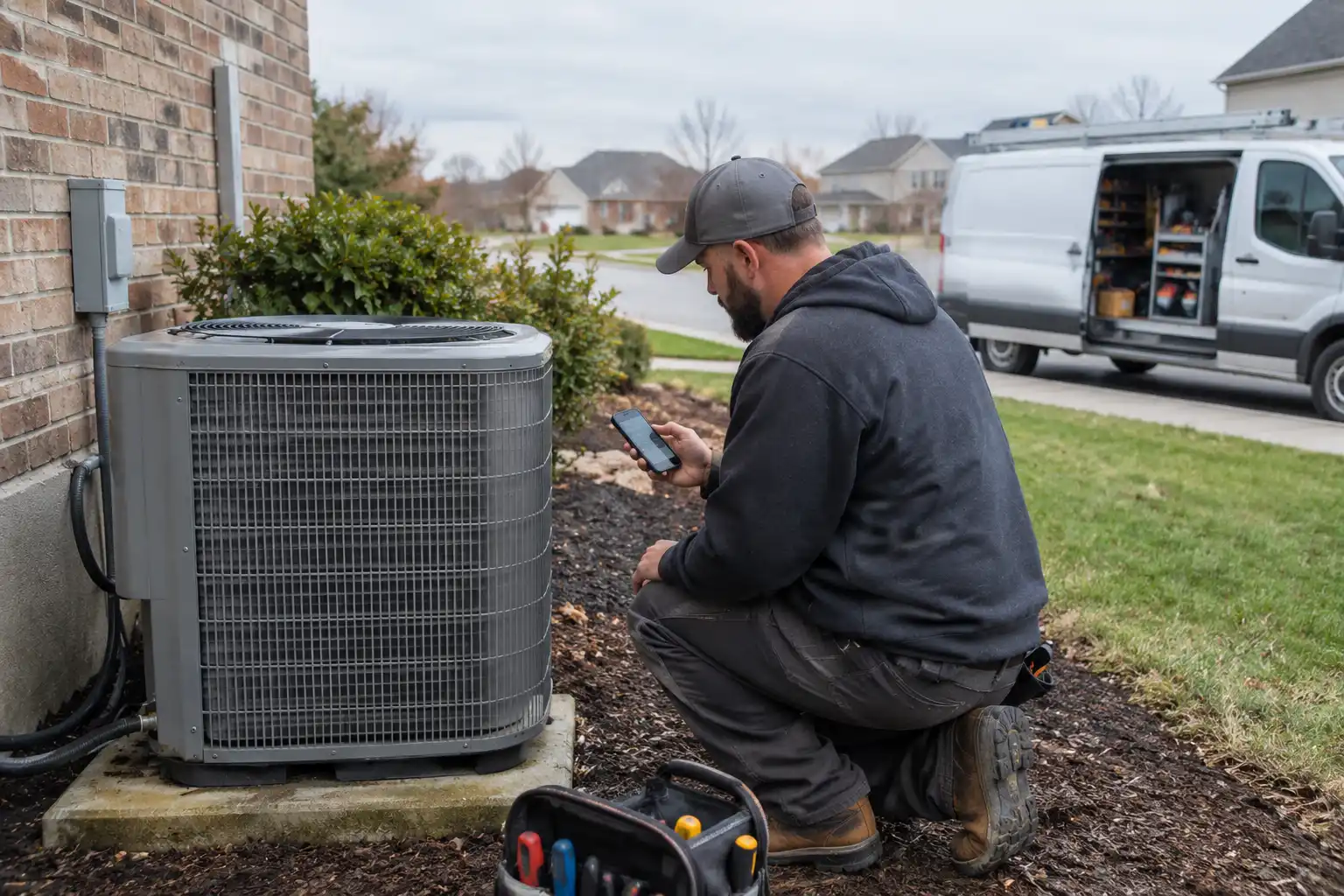
A tech replaces a capacitor on Tuesday, but the invoice stays in the truck until Friday. When the office finally sends it, the service call fee is missing. The shop has waited three days to bill the customer and still hasn't charged for the whole visit.
HVAC invoicing software lets the tech build the bill from the work order, review it with the homeowner, and collect payment before leaving. We compared five tools for a shop with one office user and four technicians. Cleri is our product, so we've also pointed out where another tool may suit your shop better.
What HVAC invoicing software needs to do
Plenty of tools can send an invoice. An HVAC shop needs more than that, because the bill has to match how you price work in the field.
- Build the invoice from the job. Parts, labor and notes your tech added on site should carry onto the invoice without retyping. If the office has to rebuild every bill, the software isn't saving time.
- Use your prices, not the tech's memory. A price list or pricebook keeps a capacitor swap or a refrigerant top-up priced the same on every truck.
- Support flat rate and time and materials. Most shops do both: flat rate for common repairs, hourly plus parts for diagnostics and odd jobs.
- Take payment on site. Card and ACH payment links let the homeowner pay before the tech drives off. Check the rate for the way your customers usually pay, because a shop that sends invoice links may pay a different rate from one that takes cards in person.
- Sync with your accounting. If you use QuickBooks Online, the invoice and the payment should land there without manual entry.
- Show proof of work. Photos and tech notes on the job record settle most billing questions before they start.
- Flag unpaid invoices. Someone in the office needs to see what's past due without running a report.
If you're also weighing the scheduling side, our page on HVAC scheduling and dispatch tools covers how jobs get to the right tech in the first place.
Flat rate vs time and materials on an HVAC invoice
This choice shapes which tool fits you, so it's worth settling first.
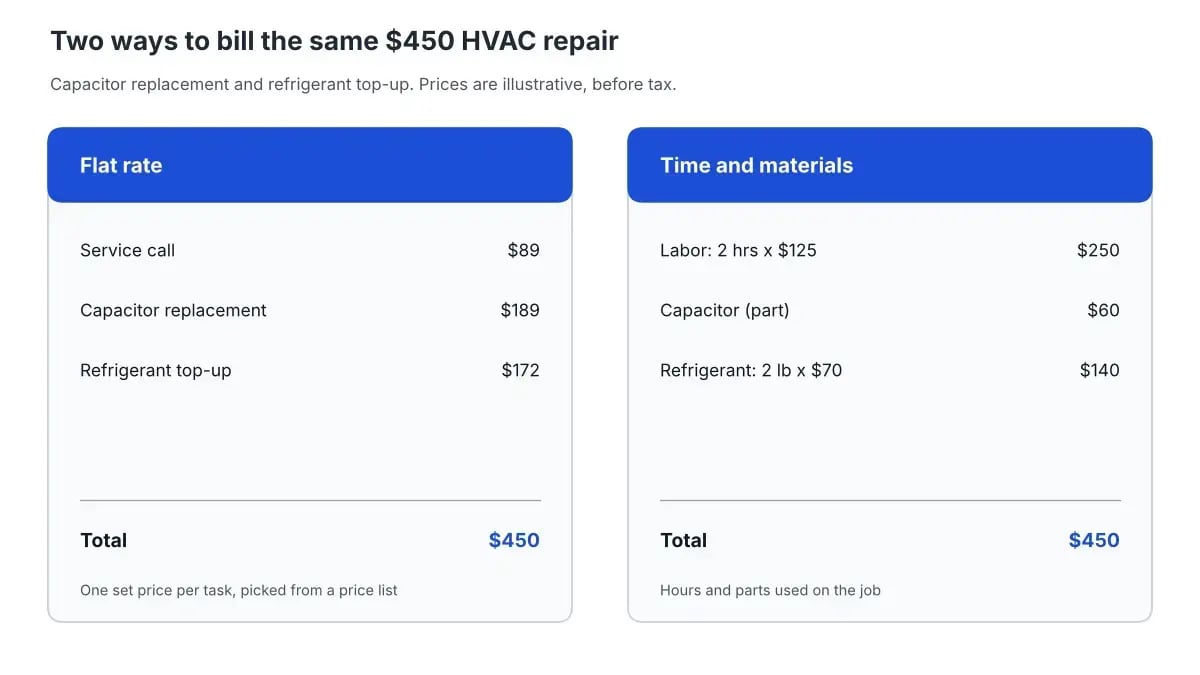
Flat rate means the customer sees one price per task, set in advance. It's easier to sell at the door, and the homeowner isn't watching the clock. To make it work, your software needs a price list the tech can pick from, so the invoice is built from line items instead of typed by hand.
Time and materials means you bill hours plus parts. It suits diagnostics, commercial work and jobs you can't scope until the panel is open. Here the software needs to record time and parts used on the job so nothing gets left off.
Most residential shops run flat rate for repairs and maintenance, then time and materials for anything unusual. Every tool in this guide handles both, but how much setup the price list takes varies a lot.
What HVAC invoicing software costs for a 5-person shop
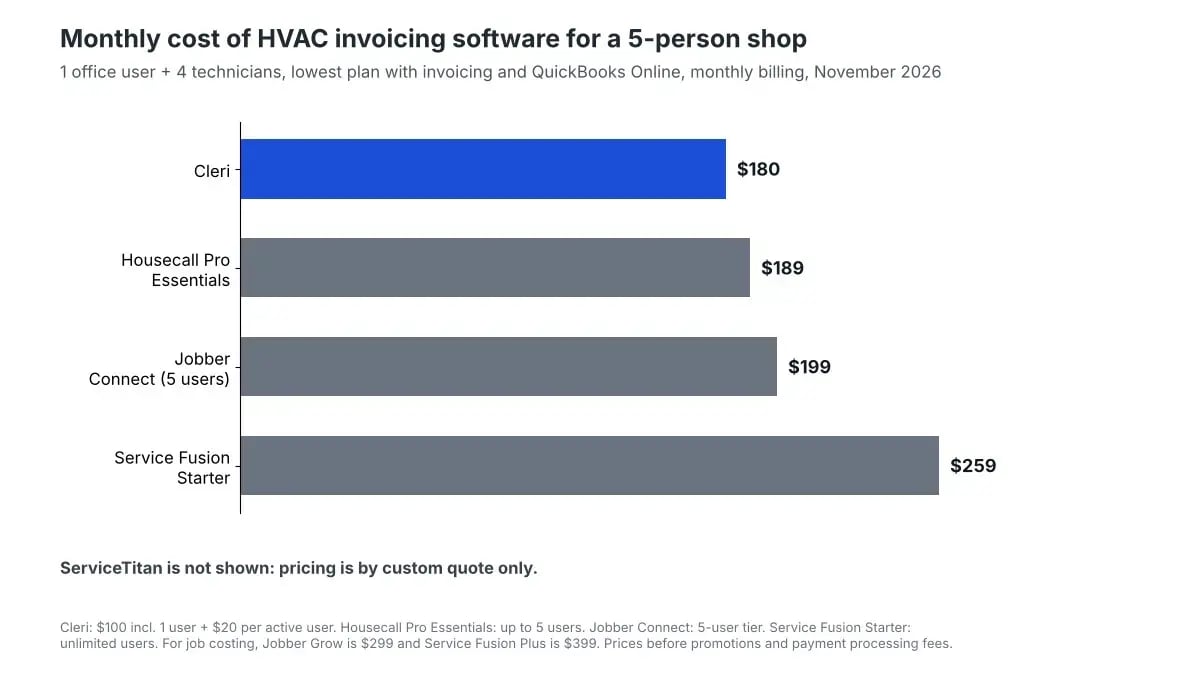
What would each tool cost a shop with one office user and four technicians? For each vendor with public pricing, we chose the lowest plan that covers all five users, lets technicians invoice from the job, and connects to QuickBooks Online. Prices are in US dollars and use standard monthly billing before promotions and payment fees.
- Cleri: $180 a month. The first user is included in the $100 base price, and four more active users add $80.
- Housecall Pro Essentials: $189 a month, includes up to five users.
- Jobber Connect: $199 a month for five users. Choose Grow at $299 if you also need job costing.
- Service Fusion Starter: $259 a month, with unlimited users, invoicing and QuickBooks integration. Plus adds job costing at $399.
- ServiceTitan: custom quote. ServiceTitan doesn't publish a monthly list price.
Payment processing sits on top of the subscription. If your shop takes $40,000 a month in card payments, a rate of 2.9% costs $120 more per month than a rate of 2.6%, assuming the same fixed fees. That's $1,440 over a year, so ask each vendor for their card and ACH rates before you decide.
5 HVAC invoicing software tools compared
Prices below are list prices as of November 2026, billed monthly. Annual billing is cheaper on most of them.
1. Cleri
Cleri is our product.
- Best for: Small and mid-size HVAC shops that want invoicing, scheduling and payments in one place at a low per-user cost.
- Standout strength: Invoices build from the work order, payments go through Stripe at 2.9% + $0.30 for cards and 1% for ACH capped at $10, and two-way sync with QuickBooks Online means invoices and payments don't get typed in twice. Quote templates and price lists keep pricing the same across techs, and Cleo, the voice assistant in the web app, can create an invoice when you ask for one.
- Pricing model: $100 a month including 1 user, plus $20 per active user. Inactive users are free. 14-day trial, no card needed. See the full Cleri pricing breakdown.
- Watch out for: Customer payment reminders aren't automated yet. Your office gets past-due alerts and follows up. There's no tap-to-pay on the phone, so on-site payment goes through a payment link.
2. Housecall Pro
- Best for: Residential HVAC shops that sell a lot of replacements and want customer financing at checkout.
- Standout strength: Estimates convert into invoices, follow-ups can be automated, and Wisetack financing is offered during checkout. Job cost tracking is included on every plan.
- Pricing model: Basic $79 a month for 1 user, Essentials $189 for up to 5 users, MAX $329 for up to 8. QuickBooks integration starts on Essentials. There's also a separately priced Mechanical package for HVAC, plumbing and electrical.
- Watch out for: Extra users beyond the plan limits and add-ons like Service Plans and Pipeline raise the bill. Ask for the exact per-user price before you sign. We cover the trade-offs in more depth in our Housecall Pro vs Jobber breakdown.
3. Jobber
- Best for: Owner-operators and small crews who want an easy app and automatic invoice reminders.
- Standout strength: Automatic invoice follow-ups and QuickBooks Online sync start on the Connect plan. Card payments are 2.9% + 30¢, ACH is 1%, and tap-to-pay is 2.7% + 30¢.
- Pricing model: Core $49 (1 user), Connect $139 for 1 user or $199 for 5, Grow $199 for 1 user up to $499 for 15. Extra users are $29 each on eligible plans.
- Watch out for: Job costing only comes with Grow and Plus, so seeing profit per HVAC job takes a 5-person shop from $199 to $299 a month.
4. Service Fusion
- Best for: Growing shops with many office users, since every plan includes unlimited users.
- Standout strength: No per-user fees, which matters once dispatchers, CSRs and a bookkeeper all need logins. QuickBooks Online and Desktop are included from Starter. See how it stacks up against us in Cleri vs Service Fusion.
- Pricing model: Starter $259 a month, Plus $399, Pro $649, with lower rates on annual billing. Job costing is an add-on on Starter and included from Plus.
- Watch out for: The entry price is high for a two- or three-person shop that only needs invoicing and scheduling.
5. ServiceTitan
- Best for: Larger HVAC companies with call centers, memberships and sales teams that need deep reporting.
- Standout strength: A pricebook on every plan, client-specific pricing, and invoicing built for techs to collect in the field. Memberships, configurable payroll and commission tracking are available on higher tiers.
- Pricing model: Custom quote, priced per technician.
- Watch out for: Ask for the subscription price, any implementation fees, and the expected setup time in writing. A smaller shop can then compare its first year of costs with the other tools on this list. If you're shopping for something lighter, our list of ServiceTitan alternatives for smaller shops is a good starting point.
Where other tools beat Cleri on invoicing
We'd rather you pick the right tool than switch twice. Here is where the others are stronger today:
- Automatic customer payment reminders: Jobber and Housecall Pro chase unpaid invoices for you. In Cleri, staff get past-due alerts and follow up themselves.
- Customer financing: Housecall Pro offers financing at checkout through Wisetack. If you sell a lot of full system replacements, that helps close jobs.
- Tap-to-pay: Jobber lets techs take a card on their phone. Cleri uses payment links.
- Memberships and large pricebooks: ServiceTitan is built for shops running hundreds of maintenance agreements and a large flat-rate pricebook.
For the five-person shop in our comparison, Cleri has the lowest published subscription price at $180 a month. Housecall Pro Essentials is $9 more per month, and Jobber Connect is $19 more. At those prices, consider what takes up your office staff's time. If someone spends Friday afternoon chasing unpaid invoices, automatic reminders may matter more than the difference in subscription cost. For the wider field, see our guide to the best field service management software.
Frequently asked questions
What is the best invoicing software for HVAC businesses?
It depends on your size and how you sell. Small shops that want invoicing, scheduling and payments in one low-cost tool should look at Cleri, Housecall Pro or Jobber. Shops with many office users often prefer Service Fusion because users are unlimited. Large companies with call centers and memberships tend to pick ServiceTitan. Compare payment processing rates as well as the monthly price.
What should an HVAC invoice include?
Include your business details, invoice number, invoice date, customer name, and service address. Describe the work the tech completed. For flat rate work, list each approved task and its price. For time and materials work, show the hours, hourly rate, and parts charged. Include any trip or diagnostic fee, applicable tax, total due, payment terms, and accepted payment methods. Add your license number where required.
Should HVAC companies use flat rate or time and materials pricing?
Most residential HVAC companies use flat rate for common repairs and maintenance because customers see the price before work starts. Time and materials fits diagnostics, commercial jobs and work you can't scope in advance. Many shops use both, so pick invoicing software with a price list for flat-rate items and a way to log hours and parts for the rest.
Can I use QuickBooks for HVAC invoicing?
Yes. A technician can create an invoice and take payment on site with the QuickBooks mobile app. The question is how the job details get onto that invoice. If your tech already records hours, parts, and notes on a work order, check whether those details carry over or someone in the office has to enter them again. Cleri, Jobber, Housecall Pro and Service Fusion all connect to QuickBooks Online.
How much does HVAC invoicing software cost?
For one office user and four technicians who need invoicing and QuickBooks Online, the published monthly prices in this comparison range from $180 for Cleri to $259 for Service Fusion Starter. Housecall Pro Essentials costs $189, and Jobber Connect costs $199. ServiceTitan provides a custom quote. Payment processing is extra, and the rate can vary depending on how the customer pays.
Try it on your next service call
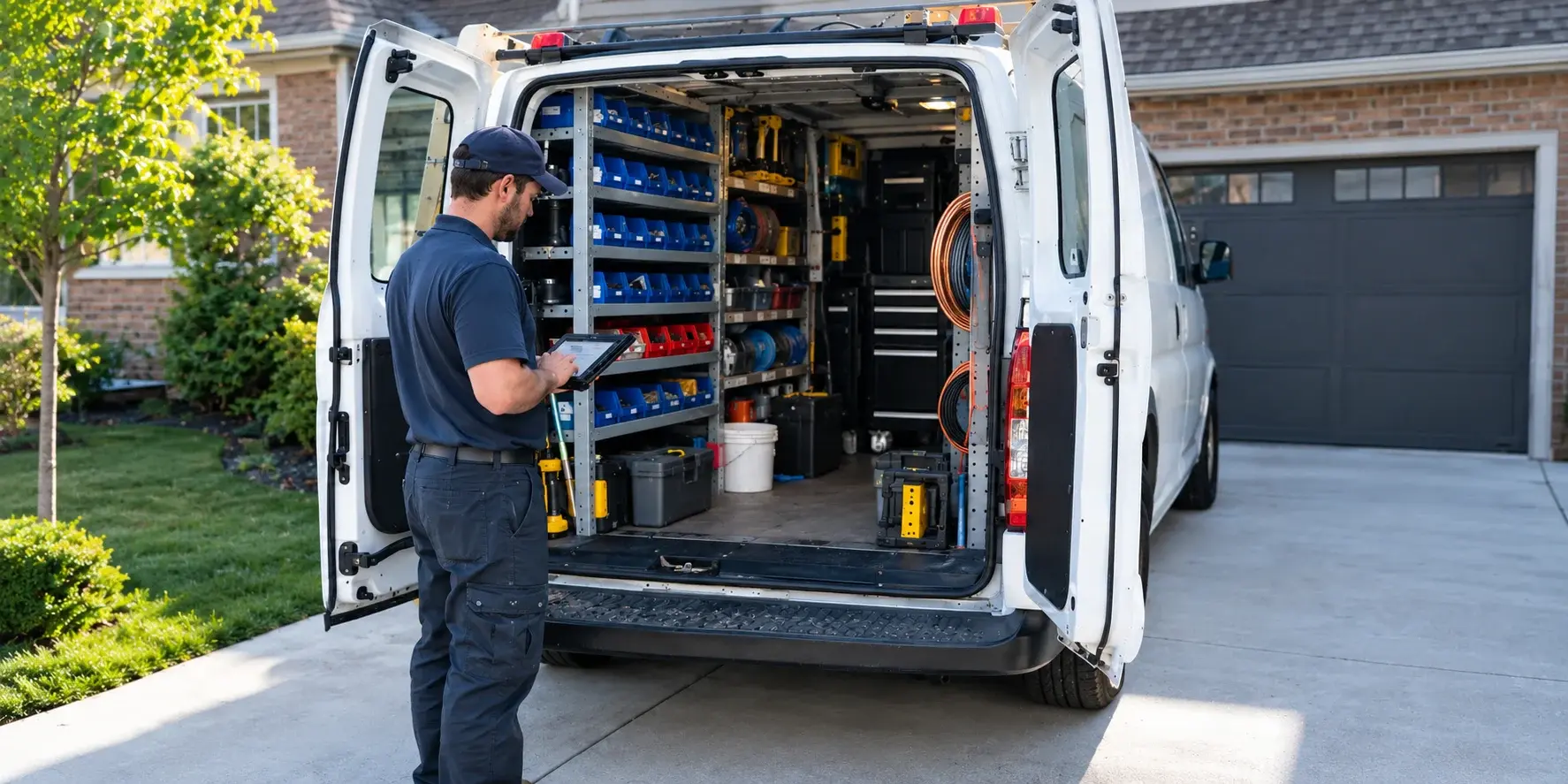
Start a 14-day free trial of Cleri, add your price list, and send your next invoice from the job before you leave the driveway. No credit card needed. Start your free trial.
Last updated November 26, 2026 · Pricing verified November 2026
Reviewed by Brandon Parham, industry expert.
Related Articles

Best Field Service Management Software: 8 Tools (2026)
Field service management software runs the...
6 ServiceTitan Alternatives for Growing Trade Shops (2026)
ServiceTitan is the most complete platform in...
Best Tree Service Software: 6 Tools Compared (2026)
Tree work is hard to run from a generic job app....
Housecall Pro vs Jobber: Pricing and Features Compared (2026)
Housecall Pro and Jobber are the two names most...

Best Spray Foam Estimating Software Compared (2026)
Quoting spray foam jobs has changed. Customers...

Best Lawn Care Software Compared: 8 Tools Reviewed (2026)
There are more lawn care software options than...
5 Housecall Pro Alternatives for Trade Businesses (2026)
Most owners I talk to don't leave Housecall Pro...

5 Jobber Alternatives for Small Trade Crews (2026)
Jobber is good software, and plenty of crews...

Best Window Cleaning Software Compared: 7 Tools
Running a window cleaning business means juggling...

3D Spray Foam Estimating Tools: What They Do & Don't Solve
In spray foam, the numbers on the estimate shape...

Benefits of Field Service Management Software: 2026 Guide
Still chasing payments and drowning in admin? See...

Plumbing Job Management Software: What It Actually Runs
The call that breaks your day is never the...

Try Cleri’s 14-day free trial and
see for yourself
No credit card. No setup calls. Just your real jobs, your real crew, and a
smoother, more predictable week.
