
How Window Cleaning Software Saves Time and Reduces Errors
Still losing hours to paperwork and chasing job details? The right software can give you back your time, and your sanity.
Introduction
Running a window cleaning business means keeping track of a lot more than glass. Customer records, recurring schedules, crew locations, job history, unpaid invoices — and most of it changes daily.
Plenty of owners manage all of this across spreadsheets, texts, and memory. It holds until it doesn't: a repeat customer's gate code goes missing, a crew turns up at last month's address, an invoice never gets sent.
Window cleaning management software puts all of it jobs, crews, and customers in one system. This guide covers what that actually includes, which CRM features matter for a route-based business, and how to tell if you've outgrown the spreadsheet.
Why window cleaning businesses need dedicated software
If you're still using spreadsheets, sticky notes, and late-night texts to run your window cleaning business, you're not alone but you're also not keeping up.
Window cleaning is fast-paced, repeat-heavy, and route-driven. Crews are out in the field. Jobs stack tight. Clients expect clear communication and fast turnaround. When your tools can't keep up, mistakes happen: jobs get missed, invoices go unsent, and your time disappears into admin chaos.
Generic field service software might work for slower, less mobile trades. But window cleaners need something faster and smarter built for the way the business actually runs.
Cleri is one of the few platforms designed with window cleaning pros in mind, where job frequency is high, routes change daily, and seasonal staff is the norm.
The right system won't just organize your schedule. It becomes the single source of truth for every job, crew member, and customer you have.
Here's why dedicated software matters, and where it beats generic tools:
|
Need |
Generic Software |
Window Cleaning Software (Cleri) |
|
Smart Routing & Dispatch |
Manual, static routes |
GPS-optimized, live traffic-aware routing |
|
Recurring Job Templates |
Requires re-entry or copy-paste |
Fully automated recurring scheduling |
|
Automated Customer Notifications |
Requires third-party tools |
Built-in reminders, ETA alerts, and follow-ups |
|
Job Documentation & Photo Capture |
Limited or missing entirely |
Photos, notes, and checklists auto-attached |
|
Instant Invoicing After Job |
Delayed or requires separate invoicing system |
Triggers instantly once job is marked complete |
|
Mobile App for Field Crews |
Clunky or desktop-only |
App-first design with offline access and voice use |
This isn't just about convenience. It's about control running your operation from one system instead of five disconnected tools.
Job and workflow management features
These are the tools that turn hours of admin into a few taps:
|
Feature |
Why It Saves Time |
|
Smart Scheduling & Dispatch |
Assign jobs in seconds with drag-and-drop calendars. |
|
Route Optimization |
Minimize drive time. Maximize daily jobs. |
|
On-the-Go Mobile App |
Crews get job info, maps, and updates without calling in. |
|
Automatic Invoicing & Payments |
Send invoices right after the job. Get paid faster. |
|
Recurring Job Templates |
Set it once. Repeat automatically. |
|
Photo Attachments & Notes |
Proof of work, on file and sharable instantly. |
|
Customer Communication Tools |
Auto-reminders, ETAs, and thank-you messages sent for you. |
|
Team & Job Tracking Dashboard |
See job status and crew activity in real-time. |
No more double-booking. No more guessing where the team is. No more paperwork pileups at the end of the day.
For the full breakdown of what to prioritize when comparing platforms, see our guide on features to look for in window cleaning software.
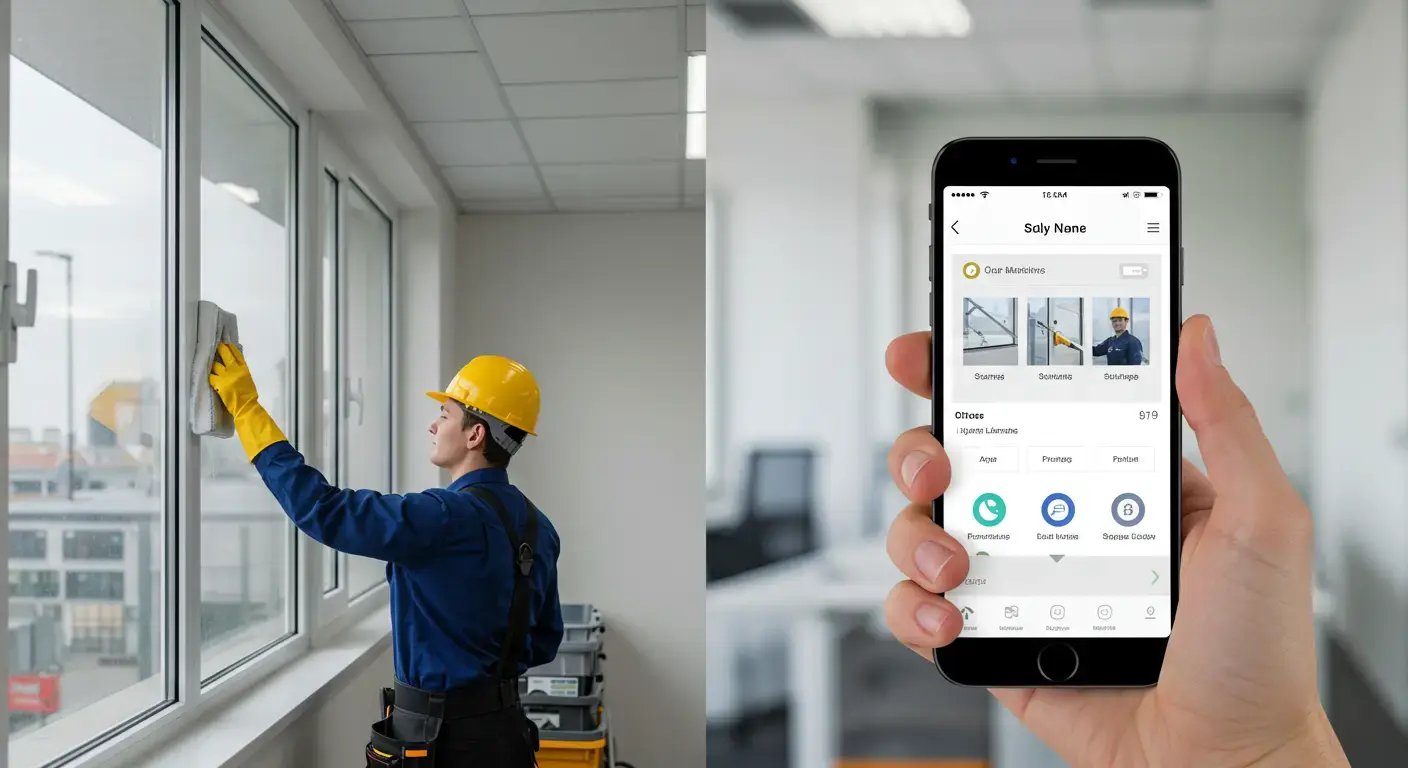
CRM features for window cleaning businesses
A window cleaning CRM keeps every customer's history, preferences, access notes, and billing in one profile your whole crew can see. For a repeat-heavy business, that record is what separates a smooth visit from a "you missed a spot" callback.
Here's what a CRM built for field crews includes:
|
Feature |
How It Reduces Errors |
|
Customer Profiles & History |
View notes, preferences, and past jobs to avoid missteps. |
|
Real-Time Job Sync |
Updates sync instantly across team devices, no info gaps. |
|
GPS-Verified Check-Ins |
Confirm techs are at the right job, at the right time. |
|
Custom Checklists & Forms |
Standardize every task to reduce steps missed in the field. |
|
Photo Documentation |
Attach photos for proof, quality checks, and fewer disputes. |
|
Customer Profiles & History |
View notes, preferences, and past jobs to avoid missteps. |
|
Auto Alerts for Overlaps/Conflicts |
Prevent double-bookings or missed jobs with smart alerts. |
|
Role-Based Access Controls |
Limit edits to key info, only the right people can make changes. |
|
Centralized Dashboard |
Everyone sees the same live info, less miscommunication. |
These features remove the friction that leads to errors, whether it's a crew going to the wrong address, forgetting a key task, or billing a customer incorrectly.
Want the numbers on how much time this saves in practice? See the benefits of window cleaning software for the full stats.
Huge shoutout to Cleri. We don’t want to deal with spreadsheets, we just want the job done right. Cleri keeps our estimates, invoices, and schedules fully organized. It’s like having a full admin staff without the cost. Absolutely love it.
Justin, Buckeye Pools
Cloud-based access: office, van, and phone in sync
Cloud-based window cleaning software keeps every device on the same page. When the office reschedules a job, the crew's app updates instantly. When a tech marks a job complete and attaches photos, the office sees it in real time and the invoice can go out before the ladder is back on the van.
That live sync is what installed, single-computer software can't do, and it's why mobile crews almost always land on a cloud setup. If you're still weighing the two, here's the full comparison: SaaS vs on-premise for window cleaning businesses.
What this replaces
When your operations run on memory, sticky notes, and group texts, things fall through the cracks. And those "small" mistakes cost you big lost revenue, missed jobs, and unhappy clients.
Here's what a proper management system replaces:
|
Problem |
Without Software |
With Cleri |
|
Missed Appointments |
Techs forget job times or details |
App reminders and live job data |
|
Late Invoicing |
Paper slips get lost; payments delayed |
Auto-invoicing triggers on job completion |
|
Crew Miscommunication |
Constant calls and texts for updates |
One shared platform with job status updates |
|
Lost Customer Info |
CRM lives in emails or on paper |
All notes, preferences, and history in one profile |
|
Repeating Admin Tasks |
Manually rescheduling, reminding, retyping details |
Recurring job templates and auto-texts |
|
Payment Chasing |
You’re stuck calling or emailing for days |
Clients get secure links right away for instant payment |
When your team is aligned, your customers feel taken care of, and your admin work is automated, you create space to focus on growth not damage control.
How Cleri handles management and CRM
When your window cleaning team is in the field, there's no room for delays, miscommunication, or admin chaos. You need tools that run fast, stay reliable, and help your crew move with confidence.
That's where Cleri comes in.
Cleri gives window cleaning teams everything they need voice-powered tools, full admin features, and clear pricing with no hidden costs or confusing setups:
- Meet Cleo, your voice-powered AI assistant: Book jobs, send invoices, create quotes, and run reports, just by talking. No typing needed.
- Complete feature set, no tiers: Scheduling, dispatch, quoting, time tracking, CRM, inventory, job logs, reminders all included from day one.
- Flat, transparent pricing: $100/month baseline + $20/month per active user. Inactive users aren't billed. No hidden fees. Ever.
- Smart data imports: Move from spreadsheets or legacy tools in minutes. AI mapping makes customer, crew, and inventory imports effortless.
- No training required: Apps are intuitive, setup is instant, and live support is 24/7. Built for real crews, not consultants.
Cleri is built for window cleaning teams that don't have time for manuals, menus, or mistakes. It delivers everything window cleaning business software should right out of the box, and strong enough to grow with your business.
Here's how the two halves work together:
|
Cleri saves time with |
Cleri reduces errors with |
|
Drag-and-drop dispatch tools |
Real-time sync across crew devices |
|
Route optimization in one click |
GPS check-ins and digital job logs |
|
Recurring jobs set to autopilot |
Smart alerts for conflicts and missed details |
|
Auto-generated invoices + pay links |
Pre-set forms and checklist templates |
|
Voice-activated workflows (via Cleo) |
Role-based access for secure data handling |
|
One app for crew, admin, and owner |
Central dashboard with job and crew visibility |
Cleri was made for field pros who want to grow without the chaos. It gets your jobs done, and done right, without micromanaging or second-guessing.
FAQs
Q1. What is window cleaning management software?
A system that combines scheduling, dispatch, customer records, invoicing, and crew tracking in one place instead of separate spreadsheets, calendars, and payment apps.
Q2. Do window cleaners need a CRM?
If you have repeat customers, yes. A CRM stores each property's history, access notes, preferences, and billing so any crew member can serve a repeat client without calling the office.
Q3. What's the difference between window cleaning management software and a generic CRM?
Generic CRMs track contacts and deals. Window cleaning management software adds routes, recurring schedules, GPS check-ins, and on-site invoicing the parts of the job a sales CRM has no concept of.
Q4. Is cloud-based window cleaning software better than installed software?
For mobile crews, almost always. Updates sync live between office and field, and nothing lives on one machine. Full breakdown: SaaS vs on-premise for window cleaning businesses.
Q5. Can a small crew use management software?
Yes! solo operators arguably benefit most, since one person is doing dispatcher, bookkeeper, and CRM by memory.
Summary
You didn't start your business to drown in admin. You started it to serve clients and grow your team.
With window cleaning management software like Cleri, you can:
- Keep every customer's history, notes, and billing in one profile
- Run scheduling, dispatch, and routing from a single dashboard
- Eliminate paperwork and manual rescheduling
- Get paid instantly with digital invoices and pay links
- Keep crews synced and accountable in real time
- Grow your business without growing your headaches
The right platform isn't just an app it's your office manager, scheduler, dispatcher, bookkeeper, and CRM in one. It helps crews run cleaner routes, stay synced in real time, and focus more on service than screens.
Whether you're running solo or managing multiple vans, it adapts to your pace and simplifies the moving parts. No tech background needed. No training manual. Just a system that gets out of your way and helps your business move forward.
Ready to run your window cleaning business from one system?
Try Cleri free for 14 days. No credit card. No setup fee.
- Full feature access from day one
- Flat pricing, no paywalls
- Voice-powered workflows
- Smart data imports
- Built for window cleaners, not just office admins
Start your free trial now and see how much time you can save.
Reviewed by Muhammad Saif, industry expert. Published August 5, 2025 · Last updated July 25, 2026.
Related Articles

Why Lawn Care CRM Software Matters in 2026
Lawn care CRM software: Why 91% of growing teams...
Plumbing Job Management Software: What It Actually Runs
The call that breaks your day is never the...

How to choose the right software for your window cleaning company
Still using paper schedules, texting your crew...
.webp)
Best Field Service Management Software: 8 Tools (2026)
Field service management software runs the...

Benefits of Field Service Management Software: 2026 Guide
Still chasing payments and drowning in admin? See...

Blue Collar Business Software: What Field Crews Need
Blue-collar businesses today need more than hard...
HVAC CRM Software: Why Contractors Outgrow Generic CRMs
Most HVAC companies start with whatever CRM was...
.webp)
SaaS vs On-Premise for Window Cleaning Businesses
SaaS vs. On-Premise: What's Better for Window...

9 Benefits of Cloud-Based Field Service Software (2026 Guide)
Field service businesses have a lot going on,...
Vibe Coded Field Service Software: Risks to Check First
Something new is happening in the field service...
3D Spray Foam Estimating Tools: What They Do & Don't Solve
In spray foam, the numbers on the estimate shape...
12 Window Cleaning Software Mistakes to Avoid
Common mistakes businesses make when choosing...
.png "Frame 1984078137 (1)")
Try Cleri’s 14-day free trial and
see for yourself
No credit card. No setup calls. Just your real jobs, your real crew, and a
smoother, more predictable week.
