
Blue-collar businesses today need more than hard work. They need smart tools to stay efficient. The right software keeps crews organized, on time, and productive, and it makes running day-to-day operations easier across field services, construction, and the trades.
This guide covers what blue collar business software should actually include, feature by feature, with screenshots of what these tools look like in practice.
Why software built for blue-collar work is different
Office software assumes people sit at desks. Blue-collar work happens in trucks, on ladders, in crawl spaces, and on job sites where hands are full and signal is spotty. Software built for this world has to work one-handed on a phone, sync when connectivity returns, and handle the rhythm of trade work: short repeat jobs, seasonal crews, and days that change when weather or an emergency call hits.
Time and effort are the two most valuable resources in a trade business, and the right automation addresses both. Scheduling and invoicing get faster, crew and client communication gets seamless, and your focus goes back to the actual work.
The must-have features
- Job scheduling and dispatching: assign, track, and complete jobs on time
- Mobile access and field apps: crews log work and get updates from anywhere
- CRM and customer management: job history, communication, and follow-ups in one place
- Invoicing and payment processing: automated billing that speeds up collection
- Workforce and task management: know who is doing what, and how long it takes
- Inventory and equipment control: tools and materials stop going missing
- Reporting, including work-in-progress: see job status and revenue in real time
The sections below break down what each looks like when it is done right.
Streamlined scheduling and dispatching
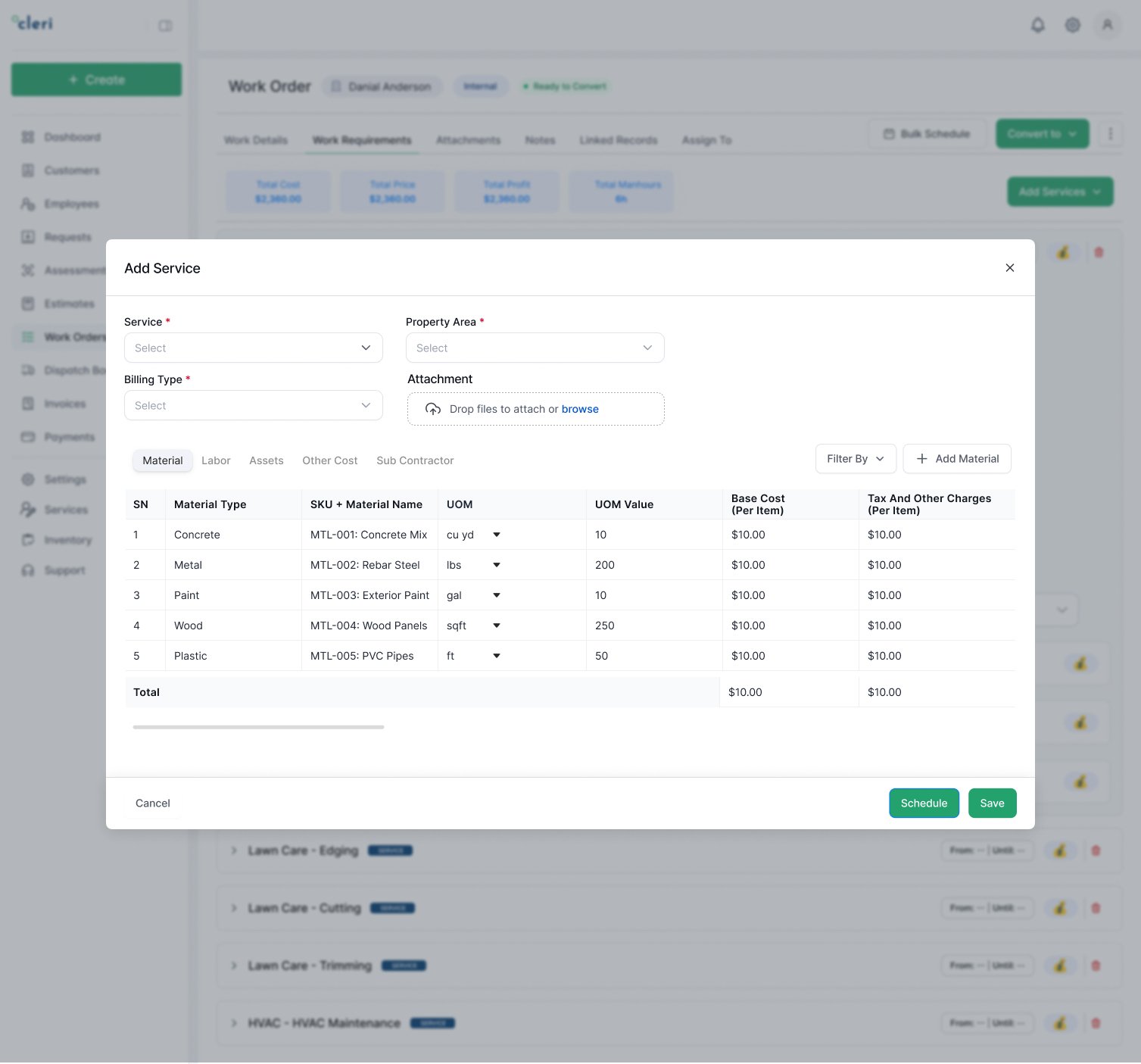
Efficient scheduling gets the right crew to the right job on time. Delays cost money and hurt your reputation.
What good scheduling includes:
- Jobs assigned by skill, availability, and location
- One shared calendar, so overlaps and conflicts cannot happen
- Automated reminders that keep crews and customers on schedule
- Recurring job templates for repeat work
-
Dispatching adds the live layer:
- GPS tracking: see where crews are and route them efficiently
- Customer updates: automatic texts when plans change or crews are en route
- Route optimization: more jobs per day, less time and fuel between them
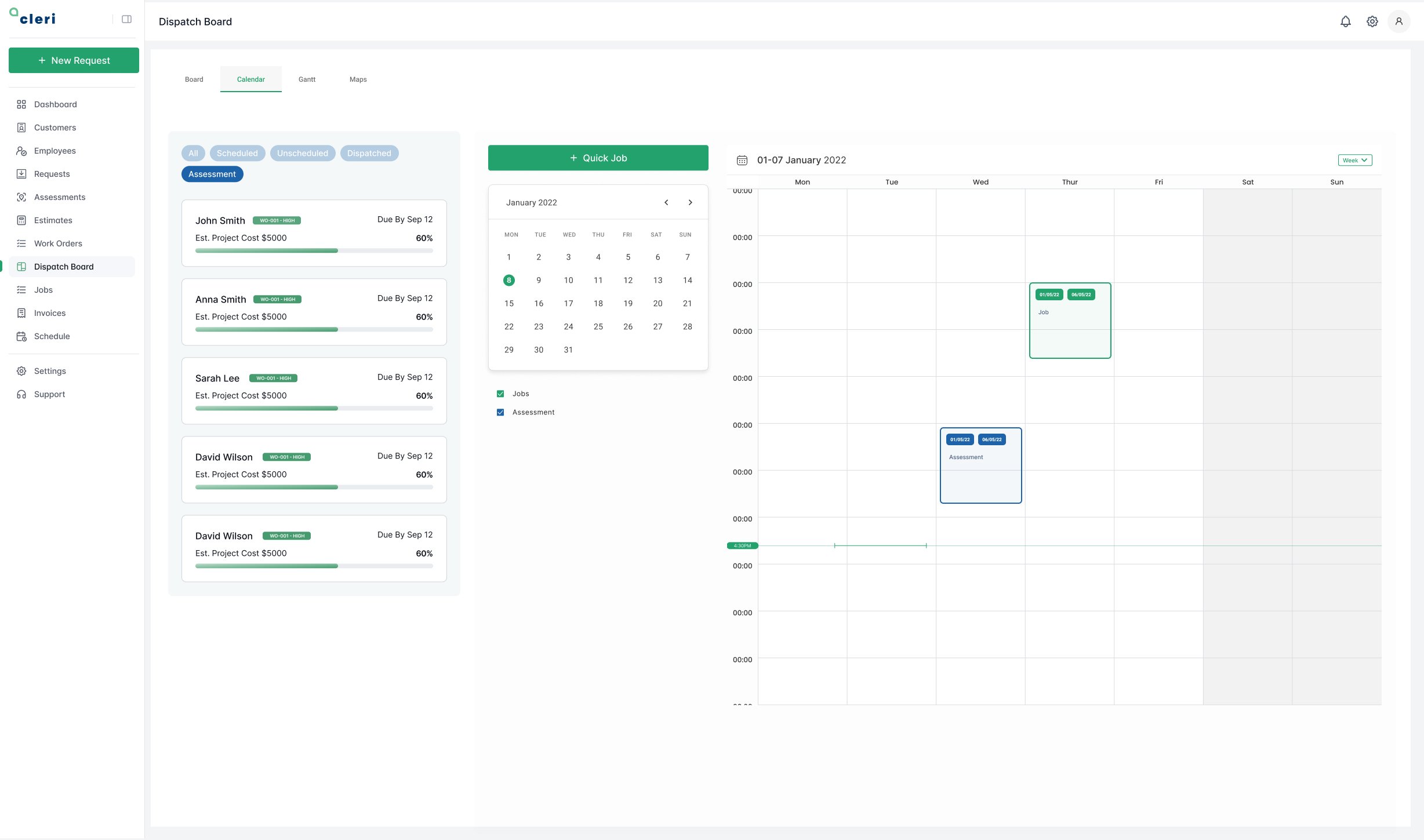
These tools keep your schedule tight and your clients happy.
The mobile crew app
In the field, your crew needs fast, easy access to job details. A proper field app lets them:
- Pull up job information, site notes, and gate codes instantly
- Upload photos, notes, and digital signatures in real time
- Update job status without calling the office
- Track time, breaks, and attendance from the same app
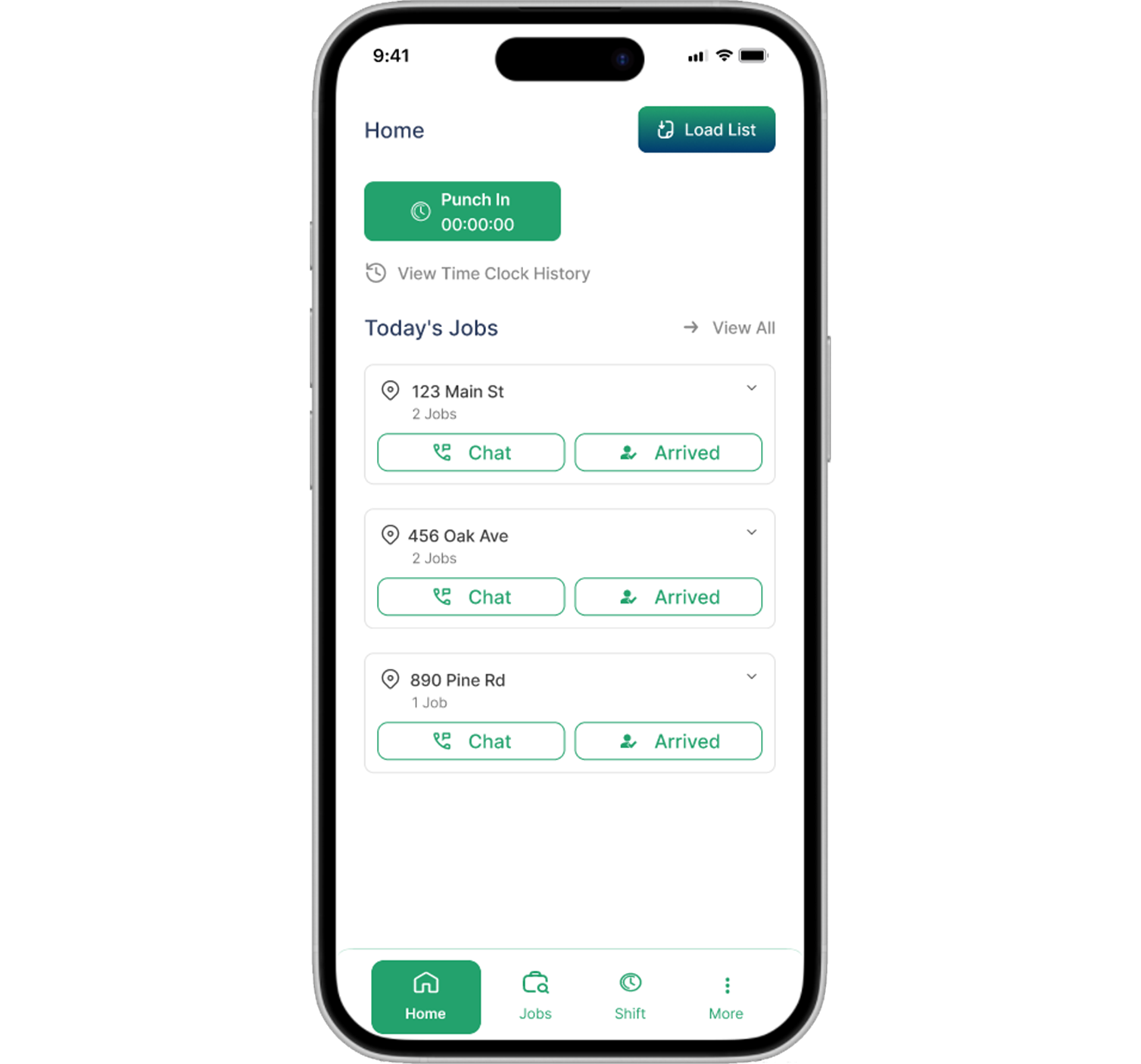
Less paperwork, fewer check-in calls, and newer crew members ramp up faster because every job's history is right there.
Financial tools: invoicing, payments, and WIP reporting
Handling money well is where software pays for itself first:
- Time tracking and invoicing: accurate hours logged per job, professional invoices generated in minutes, and automated reminders for late payments
- Payment processing: card and ACH links the customer can tap on-site
- Work-in-progress reporting: for crews running multi-day or multi-phase jobs, WIP reporting shows what is complete, what is billed, and what revenue is still sitting in unfinished work, automatically, instead of in a month-end spreadsheet
For the full financial picture, including how these tools sync with QuickBooks, Xero, or an ERP, see the benefits of field service management software.
“All my time is spent in the dirt, and it’s tough to stay on top of everything. Thankfully there’s Cleri. It made the hardest parts of owning a business easy, and that’s something I can stand behind.”
Brad, Seasons Irrigation
Inventory and equipment control
- Track materials used per job, so nothing gets forgotten on the invoice
- Get alerts when stock runs low
- Log equipment and schedule maintenance before breakdowns cause downtime
This reduces delays and saves money on replacements and downtime.
Blue collar CRM: turning one-time jobs into repeat work
A CRM built for the trades is not a sales pipeline tool. It is a record of every property you have served:
- Centralized client profiles with complete job history
- Site notes, access instructions, and preferences attached to each customer
- Automatic appointment reminders and post-job follow-ups
- Review requests that build your Google presence without awkward asks
CRM tools ensure no client is forgotten, and repeat customers are the cheapest revenue any trade business has.
How to choose the right software
Not all tools fit every business. Judge on three things:
- Ease of learning: if your crew cannot figure it out in a day, they will not use it
- Fit for your workflows: recurring routes, emergency dispatch, or multi-phase projects all need different strengths
- Pricing model: per-user tiers punish growth; flat pricing and free inactive seasonal users protect it
Much of what these tools do runs automatically in the background; our guide to field service automation covers that layer, and since every serious option is cloud-based now, the cloud software benefits guide explains what that means for crews in low-signal areas. When you are ready to compare actual platforms, our honest breakdown of the best field service management software covers 8 tools side by side.
The long-term payoff
- Productivity rises because repetitive admin disappears
- Customer satisfaction improves with faster responses and fewer errors
- Cash flow strengthens with same-day invoicing and automatic reminders
- Scaling gets easier: more jobs, more crews, same admin load
FAQs
Q 1. What is blue collar business software?
Software that runs the business side of trade work: scheduling, dispatch, CRM, invoicing, payments, inventory, and reporting, built for crews in the field rather than people at desks.
Q 2. Is it worth it for a solo contractor?
Yes. When one person is the tech, dispatcher, and bookkeeper, automation returns the most hours to exactly the person with the fewest to spare.
Q 3. What does it cost?
Most tools run $30 to $150+ per user per month across tiers. Cleri is flat: $100/month including one user, plus $20 per active user, every feature included, and inactive seasonal workers cost nothing.
Q 4. Which feature matters most?
Scheduling, because you touch it every day. Test the rain-day reschedule and the mobile app before anything else.
Final thoughts
Blue-collar automation tools bring scheduling, dispatching, payments, task tracking, and CRM into one platform. Whether you are an individual contractor or manage a team, the right software enhances your operational effectiveness and helps you grow. Assess what you need, try a couple of options, and invest in a solution designed for how field work actually happens.
About the author
By Muhammad Saif, Content Strategist at Cleri, with 9+ years of experience working with field service teams. Reviewed by Brandon Parham, industry expert. Published May 16, 2025 · Last updated August 13, 2026.
Related Articles

Why Lawn Care CRM Software Matters in 2026
Lawn care CRM software: Why 91% of growing teams...
.webp)
SaaS vs On-Premise for Window Cleaning Businesses
SaaS vs. On-Premise: What's Better for Window...

9 Benefits of Cloud-Based Field Service Software (2026 Guide)
Field service businesses have a lot going on,...
Window Cleaning Management Software & CRM: A Complete Guide
How Window Cleaning Software Saves Time and...
Window Cleaning Software Features: What the Best Apps Include
If you've ever felt like your crew's working hard...

10 Benefits of Window Cleaning Software for Your Business
Running a window cleaning business isn't just...

Field Service Automation: What It Handles & How It Works
Every field service business runs on the same...
Plumbing Job Management Software: What It Actually Runs
The call that breaks your day is never the...

Window Cleaning Software Trends 2026 | AI & Growth
Industry trends in window cleaning software in...
What Is Window Cleaning Business Software & Who Needs It?
Picture the real morning rush.
It’s 5:30 a.m. You...
Best Lawn Care Software Compared: 8 Tools Reviewed (2026)
There are more lawn care software options than...

Is there any free software for Window cleaning business?
If you're running a window cleaning business,...
.png "Frame 1984078137 (1)")
Try Cleri’s 14-day free trial and
see for yourself
No credit card. No setup calls. Just your real jobs, your real crew, and a
smoother, more predictable week.
